
Mathematical Typesetting in InDesign: Challenges in Handling Complex Equations

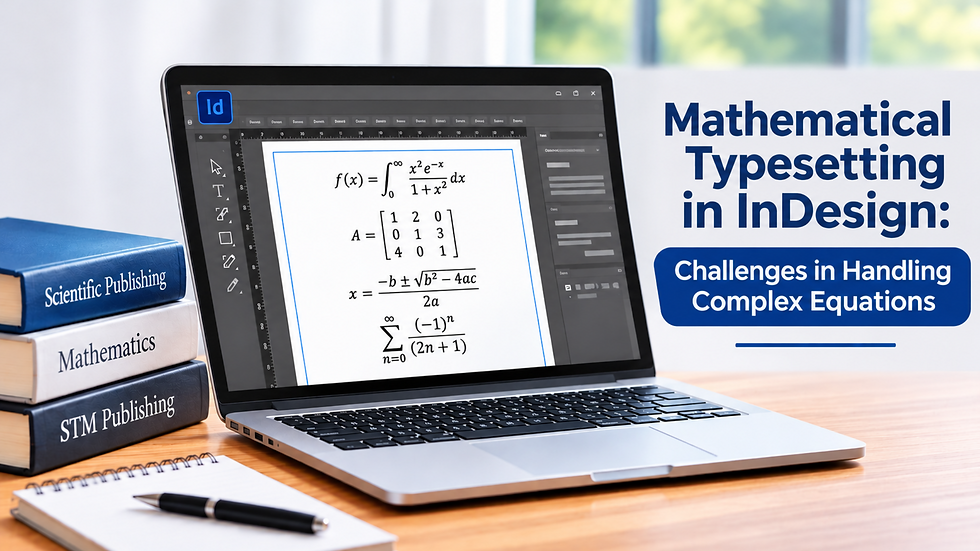
A complex equation can look clear in a manuscript and still become a formatting headache during production. Fractions may shift, symbols can lose their alignment, and multi-line equations can make an otherwise clean page look uneven.
These problems are even more noticeable in scientific books and journals, where accuracy and readability matter as much as the content. STM typesetting services help publishers handle detailed mathematical content while keeping the final document consistent and easy to read.
This article discusses the importance of mathematical typesetting in InDesign and the challenges involved in handling complex equations.
Why Mathematical Typesetting Needs Extra Attention
Mathematical content follows visual rules that differ from ordinary paragraphs. Equations depend on precise spacing, alignment, superscripts, subscripts, brackets, symbols, and line breaks. Even a small formatting error can affect how a formula is read or understood.
For example, an equation with fractions, matrices, square roots, and multiple variables may need careful adjustment to fit the page without shrinking the text too much.
In this regard, mathematical typesetting involves more than placing an equation into an InDesign document. The equation must also fit the publication's typography and page structure, including surrounding text, headings, captions, references, and figures.
Handling Complex Equations in InDesign
Adobe InDesign is primarily a page-layout application, not a dedicated mathematical equation editor, so you often prepare or convert complex equations in other tools before incorporating them into the final layout.
InDesign equation typesetting often requires importing equations from another application or using specialized production workflows. Once imported, the equation must match the document's typography and visual style.
Equation problems often become obvious only after the formula enters the final page layout. Changes to nearby text, figures, or tables can reduce the available space and affect its placement.
Font compatibility can create another problem. Scientific publications often use specialized characters and mathematical symbols. If a required font is missing or unsupported, a symbol may change appearance or fail to display correctly.
Common Challenges in Equation Typesetting
Maintaining Correct Alignment
Alignment can become difficult when an equation contains several related parts. Systems of equations, derivations, and multi-line formulas need to be positioned carefully.
For example, equations connected by equal signs often need to align at the same point. Poor alignment can make the relationships between parts of a calculation hard to follow. Related lines should be aligned so readers can easily follow the calculation.
Managing Fractions and Nested Expressions
Fractions within fractions, long square-root expressions, and nested brackets can quickly become difficult to fit on a page.
Reducing the equation size may solve the immediate layout problem, but it can also make the formula too small compared with the body text. Good equation typesetting therefore requires balancing available page space with readability.
Handling Superscripts and Subscripts
Scientific documents frequently use superscripts and subscripts for variables, measurements, chemical notation, and mathematical relationships. Incorrect positioning can make these elements appear crowded or unclear.
Notation should also remain consistent throughout a chapter, book, or journal article.
Keeping Symbols Consistent
Mathematical documents may contain Greek letters, arrows, special brackets, operators, and other symbols. Each should display correctly and follow the publication's style.
Even small differences in symbol style become noticeable when the same notation appears throughout a chapter or journal article.
Balancing Equations With Page Layout
Complex equations can affect more than the space immediately around them. A long formula may create unwanted white space, push a paragraph onto another page, or interfere with a table or figure. Mathematical typesetting in InDesign requires careful attention to both equation structure and page composition, particularly when a publication contains complex formulas or multi-line derivations.
A scientific typesetter must treat the equation as part of the page, not as an isolated graphic. Rather than treating equations as isolated elements, the typesetter considers how they fit with the surrounding content.
Line breaks also need attention. When a long equation must continue onto another line, the break should occur at a logical point in the expression rather than at an arbitrary position.
When Professional STM Typesetting Becomes Useful
Technical, scientific, and medical publications can contain hundreds of equations and other specialized content. Manually formatting this material can be time-consuming, especially when the publication has strict design requirements.
Professional STM publishing services provide a structured workflow for handling this type of content. Typesetters can work with equations, references, figures, tables, and other page elements while following the publication's formatting specifications.
A common example is a multi-line derivation that fits comfortably in the source file but creates awkward spacing in the final page layout. The typesetter may need to adjust line breaks, surrounding spacing, or nearby page elements without changing the mathematical content.
Before delivery, the production team can review equation placement, numbering, fonts, spacing, and cross-references. These checks help identify formatting problems before publication and improve the final book's or journal's overall publishing quality.
Quality Checks for Accurate Equation Typesetting
A consistent equation checking workflow can catch many formatting problems before the final PDF is approved. Mathematical proofreading requires more than checking spelling and grammar. Each equation should be reviewed for accuracy, spacing, alignment, symbols, exponents, fractions, subscripts, brackets, and numbering.
Useful practices include:
Use consistent equation styles throughout the document.
Carefully check mathematical symbols after importing equations.
Maintain consistent spacing around operators and symbols.
Keep equation numbers properly positioned and easy to locate.
Avoid reducing complex equations more than necessary.
Compare typeset equations with the source manuscript to identify missing or altered elements.
Review the final PDF to make sure equations remain correct after export.
A misplaced superscript, incorrect equation number, or substituted symbol can create a correction that is easy to miss during a routine proofread.
Font and rendering issues can also affect how symbols appear after export from InDesign.
This extra check can prevent avoidable corrections and ensure complex equations stay accurate and readable in the final document.
Make Scientific Publishing Easier With STM Typesetting Services
For equation-heavy books and journals, the goal is not simply to fit formulas onto a page. Equations need to remain accurate, readable, correctly positioned, and visually consistent with the rest of the publication.
A well-managed STM typesetting workflow can make this process easier and reduce formatting issues during production. For research publications, technical textbooks, and scientific journals, experienced book typesetting services can ensure that equations, text, references, and other page elements work together smoothly.
Careful mathematical typesetting and scientific document formatting ultimately make complex information easier for readers to understand.



Comments